Check Out What's New in Epic
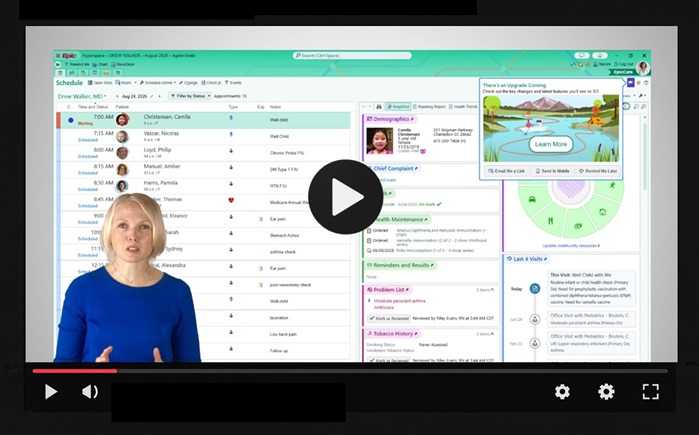
Our next Epic upgrade is Wednesday, Aug. 12, and education will be available 2 weeks before the upgrade. Epic's "What's New" feature shows you what's changing specifically for you. It provides recommended education based on your actual usage of Epic, ensuring you see the most relevant updates for your role and workflows. Watch the video above to learn more about it.
Key Dates
- Wednesday, July 29: "What's New" feature is available from your Epic home screen by clicking the megaphone icon
- Wednesday, Aug. 12: Epic upgrade date
- Wednesday, Sept. 9: The last day the "What's New" content will be available
How to See What's New for YOU in Epic
Epic's "What's New" feature shows you what's changing specifically for you. It provides recommended education based on your actual usage of Epic, ensuring you see the most relevant updates for your role and workflows. Watch the video above to learn more about it.
Two weeks before the upgrade—which is Wednesday, July 29 for the Aug. 12 upgrade—you'll see a notification in your home workspace. Click Learn More to review What’s New. Or, if now’s not a good time, choose one of the options at the bottom of the notification. If you’re in the middle of something, you can also ignore the notification until you have more time to review it. Below is an example of a What's New notification.
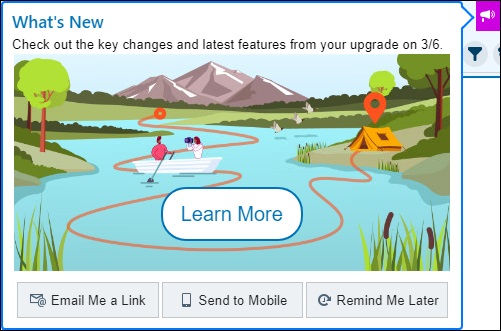
If you want to find the notification again, click the megaphone  icon on your home workspace, or search in the assistant bar using a keyword like "what's new" or "upgrade."
Key Changes: What's New is designed to take just a few minutes of your time. Focus on the Key Changes (marked A in the example below) to learn about the features that will make the biggest difference in your upgrade experience. Click an entry to get more detail such as screenshots, tip sheets, or videos.
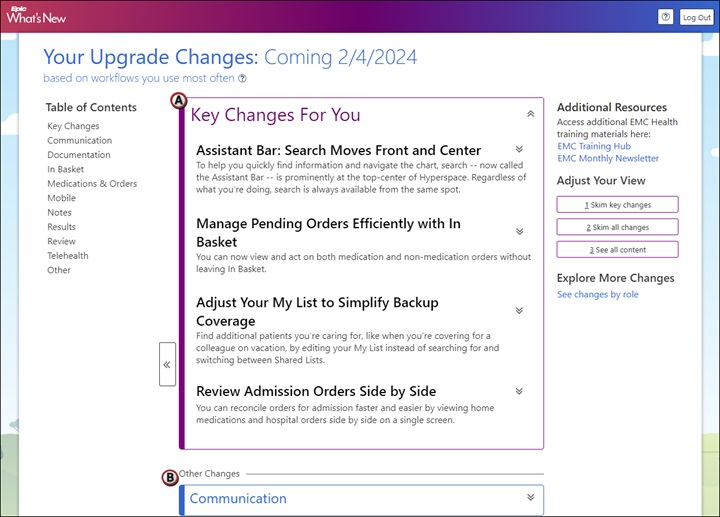
Other Changes: If you want to preview smaller changes you might notice, you can browse by workflow in the Other Changes section (marked B in the example above).
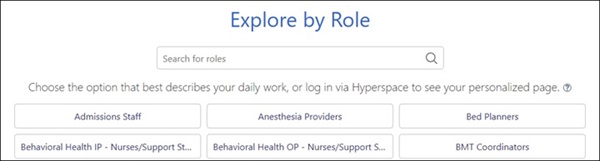
Explore by Role: You can also explore changes by role. If you haven't used the system for long or you've been on leave, this is the first page you'll see. Otherwise, you can click See changes by role to check out this view—for example, maybe you want to see what's new for other roles you work with, or maybe you want to preview tools you don't use yet but might be interested in.
Note that users in the same role or department may see different topics based on their actual use of Epic, so don’t worry if your colleagues’ content looks different—this is intentional and not a system error.
Education and Organizational Development Support
Epic trainers will offer support throughout the upgrade, including:
- Emailing Epic Update documents to leaders on Wednesday, July 29
- Posting updates on Learning Home Dashboards in Epic
- Linking the What’s New screen to the main Learning Home Dashboard
- Rounding in departments before and during go-live for in-person support
Questions? Contact your E&OD Epic trainer for further assistance.


The next Epic upgrade is scheduled for Wednesday, Aug. 12.
Education will be available July 29 through Sept 9. Epic's What's New feature will show you what's changing specifically for you, with recommended education based on your actual usage of Epic.
Education and Organizational Development trainers will offer support during the upgrade, including in-person support.
