Know How To Spot Tax-Related Phishing
April 18 is tax day, but that doesn’t mean tax-related scams will end.
There have been multiple phishing attacks in the United States this year involving emails that were disguised to look like they were from the Internal Revenue Service (IRS). It's not unusual for cybercriminals to impersonate government agencies such as the IRS. Here’s what to look out for:
- The email will usually say that you need to to download and review a tax form.
- It will contain either an attachment or a link to a password- or CAPTCHA-protected website to download the form.
- In reality, the download contains malicious software, also known as malware. This malware can give cybercriminals access to and control over your computer or phone.
The IRS will not initiate a request for personal or financial information through email, text messages or social media. The IRS also does not allow the use of IRS-branded phishing simulations, so you will never receive a phishing test from us that impersonates the IRS.
If you receive an unexpected communication from the IRS, be suspicious and follow these tips:
- Do not reply.
- Do not preview, open or download attachments.
- Do not click on any links.
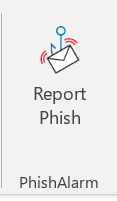
- Report it to our Information Security team by clicking the Report Phish button at the top of the email.
For additional information on dealing with suspected IRS-themed scams, visit the IRS website.
If you have questions, email office_of_information_security@carilionclinic.org.
Scammers use tax-themed emails to trick people into downloading malicious software.
Be suspicious if you receive an unexpected communication from the IRS.
Report suspicious emails in your Carilion inbox by clicking the Report Phish button at the top of the email.
