Report a Phish and Win a Prize
Report a Phish and Win a Prize!
Have you ever clicked on a link in an email, only to realize too late that it was a phishing attempt? Ever question whether an email may or may not be a scam? Phishing emails are on the rise, and it can be hard to tell whether an email is legit.
With Courage—one of our core values—YOU have the power to keep our organization, our employees and our patients safe from cyber-attacks!
If you suspect an email contains malicious content or spam, click the Report Suspicious button in Outlook.

Each time you report a suspicious email, you will have a chance to win a $25 gift certificate! We will choose a winner every three months.
Here’s another way to prevent phishing, spam and cyberattacks: Don’t use your Carilion Clinic username or email address to register for non-work-related sites, subscriptions, or email lists. As an added bonus, this will help reduce the amount of email in your inbox. It’s a win-win!
How to Know it’s the TSC
Know how the Technology Service Center (TSC) could contact you so you can protect yourself from phishing. When you submit a technology request in Employee Center, a technology support specialist will contact you. But how do you know it’s really them? Here are some ways you can tell if an email or a phone call is from the TSC.
What the TSC WILL do:
- Send an email from the TSG Service Alerts email address (tsg_service_alerts@carilionclinic.org)
- Call the phone number you have listed in Outlook
- Identify themselves as a TSC support specialist
- Connect to your computer during a call with you using Bomgar, our authorized remote support portal (https://helpme.carilionclinic.org).
- Send an email from a Carilion email address during the call if you are having trouble connecting to the Bomgar remote support portal for remote assistance.
What the TSC WILL NOT do:
- Ask for your password
- Email you from a non-Carilion email address
- Ask you to click on a link that was sent in an email from an external sender
- Ask you to use any other remote tool that is not Bomgar, such as teamviewer, quick assist, realvnc, etc.
If you’re not sure:
- If something doesn’t seem right about a phone call or other communication you receive from the TSC, hang up or put the conversation on hold.
- Then, call the TSC at 540-224-1599 (71599) or 800-354-1599 to ask whether the communication is real.
For more information, visit the TSG hub on Inside Carilion.
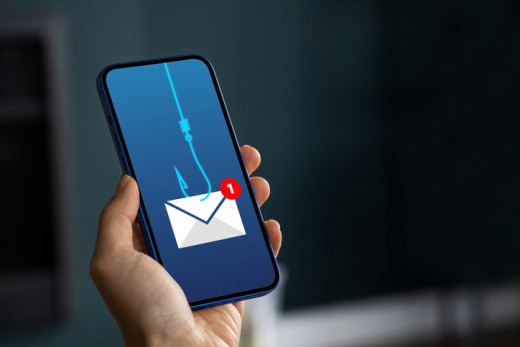

Report phishing emails using the “Report Suspicious” button in Outlook for a chance to win a $25 gift certificate.
Protect against phishing by avoiding the use of your Carilion Clinic email for non-work-related accounts and recognizing how the Technology Service Center (TSC) will and won’t contact you.
If unsure about a TSC communication, verify its legitimacy by calling the TSC directly at 540-224-1599 or 800-354-1599.
