Personify Health (formerly Virgin Pulse)


Get Rewarded for Your Well-being
WHAT IS PERSONIFY HEALTH
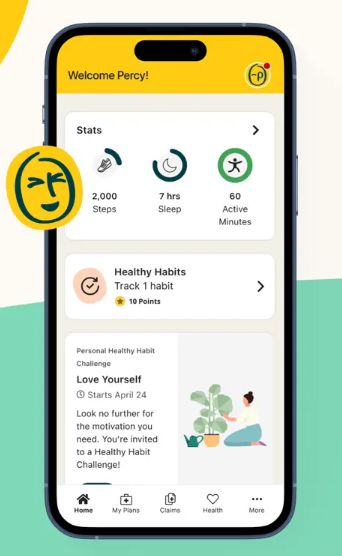
Personify Health is a health and well-being platform that provides wellness tools to help employees develop and maintain healthy routines. Through Personify Health, employees have the ability to track daily activity like exercise, sleep, mood, and more. They can also engage with their colleagues through challenges and shoutouts. By participating in Personify Health, employees will earn rewards that can be redeemed for prizes, gift cards, or donated to the charity of their choice.
HOW TO GET STARTED
- Sign up for your Personify Health account using the new account link. (Omit leading 0 in your Carilion Employee ID number.)
- Your login credentials for Personify Health are not the same as your Carilion Clinic login credentials.
- Acknowledge and agree to the Personify Health Member Privacy Notice, Membership Agreement, and GINA/PHI notice and click “continue”.
- Confirm any missing or prior entered information.
- Once complete, you will receive a confirmation and you can start using Personify Health.
- You can access Personify Health on your desktop, via Microsoft Teams, any Carilion-issued phone, or download the Personify Health app to use on your Apple or Android device.
HOW TO CONNECT A DEVICE
- Log into your account on the Personify Health member website.
- Hover over your profile picture in the right corner of the top-navigation menu. In the drop-down menu that appears, select “Devices & Apps”.
- Scroll down and locate the device that you would like to sync, hover over it, and click the “Connect” button that appears.
- You’ll be redirected to the application authorization page, where you’ll need to enter your device’s log-in details and click the “Allow” button.
- Your connection will be made successfully, and you’ll be redirected back to the “Devices & Apps” page, where there should be a link icon in the top right corner of the app or device that you linked indicating that you have successfully connected to it.
HOW TO EARN REWARDS
Every employee who registers for the Personify Health program will have the chance to earn up to $200 per year for participating.
Every wellness activity you participate in through the app will earn you points. Points are then converted to Rewards, which you can redeem in the Personify Health online store, use for gift cards or donate to charity.
Here are some ways you can earn points daily, monthly and quarterly:
| Activity | Points | Frequency |
| First login to mobile app | 250 | Once |
| Complete Health Check Survey | $25 Rewards Cash | Once |
| Set your interests | 100 | Once |
| Upload steps from your activity tracker (per 1,000 steps) | 10 | Daily |
| Do your daily cards (2 per day) | 20 | Daily |
| Track sleep nightly | 20 | Daily |
| Sleep >7 hours in a night | 50 | Daily |
| Browse healthy recipes | 10 | Daily |
| Win the promoted Healthy Habit challenge | 200 | Monthly |
| Complete 20 daily cards in a month | 200 | Monthly |
| Track Healthy Habits 20 days in a month | 300 | Monthly |
| Track sleep 10 days in a month | 100 | Monthly |
| Join the company challenge (announced on Inside Carilion) | 500 | Quarterly |
| Choose your eating type | 250 | Quarterly |
| Choose your sleep profile | 250 | Quarterly |
| Complete an entire journey (3x per quarter) | 150 | Quarterly |
*Please note: Your Personify Health rewards are considered taxable income by the IRS. The rewards will be taxed as they are earned. For example, when you earn $15, that money will be added to your paycheck as a $15 non-cash item (since it was already paid through Personify Health).
LEARN MORE
https://player.vimeo.com/video/1019307431
