Holiday Phishing Scams: Don’t Let Scammers Wreck the Season of Joy
It's the most wonderful time of the year—holiday shopping and sales have begun. Unfortunately, cybercriminals know this and may be looking for opportunities to steal your money or personal information.
How do cybercriminals use holiday shopping to steal people's information? In some cases, they set up fraudulent websites that look legitimate and promote them on social media. In other cases, scammers send promotional emails that contain phishing attempts or viruses. The threat of scams is greater than many believe, with a 2023 AARP survey finding that 80% of U.S. consumers have encountered at least one form of holiday fraud, including phishing attempts.
Scammers can make emails and texts look like they are coming from a legitimate brand. And since consumers expect to receive offers around this time of year, they are less likely to scrutinize the messages.
Amazon Scam
- A common scam this year involves a call from a scammer pretenting to work for Amazon.
- The scammer sends a message letting you know about a suspicious charge to your Amazon account and asks you to verify the information. The scammer then attempts to find out your personal information.
- If you receive a call like this, don't press "1" or call the number back. Never give out your personal information, account information or payment information.
How To Spot Phishing
Here are some tips from the FBI and our Information Security team to stay safe when you are shopping online:
- Don’t click any suspicious links or attachments in emails, on websites or on social media.
- Be especially wary if a company asks you to update your password or account information. Look up the company’s phone number on your own and call the company.
- Check each website’s URL to make sure it’s legitimate and secure. A site you’re buying from should have https in the web address. If it doesn’t, don’t enter your information on that site.
- Be wary of deals advertised on social media and deals that seem too good to be true (for example, bicycles at 80% off). Fake websites are often advertised on social media. If it's a real sale, it will also be advertised on the retailer's website.
- Be wary of online retailers who use a free email service instead of a company email address.
- Don't use your work computer for online shopping. That way, if you do accidentally click a malicious link, our patients' information will not be compromised.
What To Do If You Receive a Suspicious Message
Text message:
- If you receive a suspicious text message on a work-issued device, report it to the TSC without replying to the message. Do not click on any links or images in the text.
- If you receive a suspicious text message on a personal device, use available features within your messaging application to report the text, or simply delete it without engaging.
Email:
- Report suspicious emails you receive at work using the Report Phish button in your email menu bar.
- If you receive a suspicious email in a personal inbox, use available features within your application to report the message as spam or malicious, or simply delete the email without engaging.
Questions?
If you have questions, email our Information Security team at Office_of_Information_Security@carilionclinic.org.
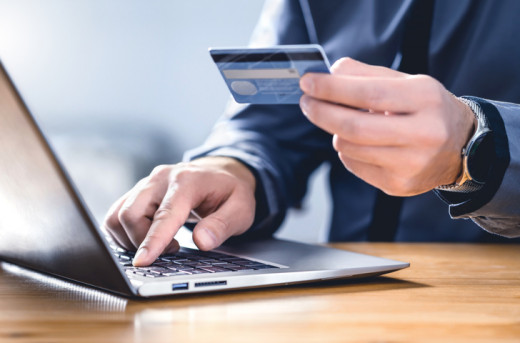
Scammers sometimes set up fake websites or send emails or texts that look like they are from legitimate businesses.
Be vigilant when shopping online and don't click on links within emails, texts or on social media advertisements.
Learn more from the Federal Trade Commission.
